


Modern digital work creates a huge amount of information. Articles, spreadsheets, customer records, product listings, files, URLs, and database entries can quickly become repetitive or unnecessary. That’s where simple status labels become useful. Excluded / Merged can describe two very different outcomes. An item marked Excluded has generally been removed from the active set because it doesn’t belong, doesn’t meet a requirement, or isn’t needed for the current purpose. An item marked Merged, on the other hand, has typically been combined with another item because the two overlap or can be represented more efficiently together. Understanding this distinction is important because excluding something and merging something aren’t interchangeable actions.
For example, imagine a website has two pages covering almost exactly the same subject. A team might decide to merge the information into one stronger page. That’s very different from discovering a page that has nothing to do with the site’s purpose and excluding it from the project. The same principle applies to spreadsheets and databases. If two records represent the same customer, merging may preserve useful information while reducing duplication. If a record is invalid or irrelevant, exclusion may be more appropriate. In short, Excluded / Merged is best understood as a decision-making concept rather than one universal technical command.
What Does Excluded / Merged Mean?
The phrase Excluded / Merged combines two status ideas: exclusion and consolidation.
Excluded generally means an item isn’t included in the final collection, workflow, report, or result.
Merged generally means two or more related items have been consolidated into one.
Here’s a simple comparison:
| Status | Basic Meaning | Typical Action |
|---|---|---|
| Excluded | Not included | Remove from active scope |
| Merged | Combined with another item | Consolidate |
| Active | Still being used | Keep unchanged |
| Archived | Retained but inactive | Store for reference |
| Rejected | Doesn’t meet requirements | Decline or remove |
The exact meaning depends on the system in which the label appears. A content-management platform may use these terms differently from a spreadsheet or SEO workflow. Therefore, context matters.
Before acting on an Excluded / Merged label, identify what the status represents, what happens to the original item, and whether the action can be reversed.
Understanding “Excluded”

Exclusion is the process of deliberately leaving something out. An item might be excluded because it’s irrelevant, duplicated, incomplete, inaccurate, outside the project’s scope, or unsuitable for the intended audience.
For example, a company creating a report about domestic sales might exclude international transactions if they’re outside the report’s purpose. Exclusion doesn’t necessarily mean the information is bad. It may simply mean that it doesn’t belong in the current context.
Common Reasons for Exclusion
- The information is irrelevant.
- The item doesn’t meet project requirements.
- The record is incomplete.
- The content is outdated.
- The information belongs to another category.
- The item duplicates another record.
- The data is outside the requested time period.
- The item was created for testing.
- The content isn’t intended for publication.
A useful rule is: exclude with a reason, not simply because something looks unnecessary. That makes later reviews much easier.
Understanding “Merged”
Merging means bringing separate items together into a single representation. The goal is usually to reduce duplication, simplify management, or create a more complete result. For example, suppose two customer records belong to the same person. One record contains an email address while another contains a phone number. A carefully planned merge could create one more complete customer record.
The same idea applies to content. If two articles answer nearly the same search intent, combining them can create a stronger resource instead of maintaining two competing pages. However, merging requires caution. Information should be reviewed before consolidation so that useful data isn’t accidentally lost.
In spreadsheet applications, merging can also have a literal formatting meaning. Microsoft explains that Excel can merge multiple cells into a larger cell, but when cells are merged, only the content of one cell is retained in the merged result. That’s why merge should never automatically mean “combine everything without checking.”
Excluded vs. Merged: What’s the Difference?
The simplest distinction is this: Excluded means left out. Merged means combined.
| Factor | Excluded | Merged |
|---|---|---|
| Purpose | Remove from current scope | Consolidate related items |
| Final result | Item isn’t active | One combined item remains |
| Original information | May remain elsewhere | Usually incorporated or redirected |
| Best for | Irrelevant or unsuitable items | Duplicate or overlapping items |
| Main risk | Losing something useful | Losing information during consolidation |
| Review needed | Yes | Yes, especially before combining |
Consider three articles:
- Article A is about hiking.
- Article B is about hiking boots.
- Article C is about accounting software.
If you’re building a hiking website, Article C might be excluded. If Articles A and B have almost identical search intent, they might instead be merged after careful review. The decision should therefore be based on purpose, relevance, overlap, and information quality.
Why These Labels Matter
Simple labels can make complicated workflows easier to manage. Imagine a team reviewing 2,000 records. Without clear statuses, employees may repeatedly review the same items or wonder why something disappeared from the active list. A clear status system solves part of that problem.
Benefits of Clear Status Labels
- Better organization Teams can quickly understand what happened to an item.
- Less duplication Similar records can be consolidated instead of maintained separately.
- Improved accountability People can document why an item was excluded or merged.
- Easier audits Historical decisions become easier to understand.
- More efficient workflows Staff don’t have to repeatedly evaluate the same material.
- Cleaner reporting Final reports contain more relevant information. Good labeling is particularly valuable when multiple people work on the same dataset or content library.
Excluded / Merged in Content Management
Content teams frequently deal with overlapping, outdated, and irrelevant material. A website might have hundreds or thousands of articles. Over time, some topics become outdated while others overlap.
For instance:
- “Best Budget Phones”
- “Affordable Smartphones”
- “Cheap Smartphones for Students”
These articles may target different audiences, or they may cover nearly identical information. A content audit can determine whether each page should remain separate, be merged, updated, redirected, archived, or excluded from a particular project.
A Practical Content Review
Ask:
- Does the content serve a distinct purpose?
- Does it have a clearly different audience?
- Does it provide unique information?
- Does another page cover the same intent?
- Is the information still accurate?
- Does the page receive useful traffic or engagement?
- Can its information strengthen another resource?
Don’t merge pages simply because their titles look similar. Likewise, don’t exclude useful material merely because it isn’t currently performing well. A good decision considers the whole context.
Excluded / Merged in SEO
SEO is one area where consolidation decisions can have a significant effect. Google describes canonicalization as the process of selecting a representative URL from duplicate or very similar pages. Google also notes that redirects and rel=”canonical” can help signal which URL should be treated as preferred.
This makes the concept of Excluded / Merged especially relevant to content audits. Suppose a website has several pages targeting nearly the same search intent. Maintaining all of them may create unnecessary complexity.
A better approach could be:
- identify the strongest page,
- review all useful information,
- consolidate valuable material,
- redirect or otherwise handle the weaker URL where appropriate,
- update internal links,
- monitor the result.
However, merging should not be treated as an automatic SEO trick. Google states that duplicate content itself isn’t necessarily a spam-policy violation, and its systems can generally identify canonical versions.
When SEO Content May Be Merged
Consider consolidation when:
- two pages have substantially overlapping intent,
- one page is clearly stronger,
- both pages contain useful but fragmented information,
- maintaining separate pages creates unnecessary duplication,
- users would benefit from one comprehensive resource.
When Content May Be Excluded
Exclusion may make more sense when:
- content is irrelevant,
- it is created only for internal testing,
- it doesn’t belong to the site’s topic,
- the material is unusable or invalid,
- keeping it active creates unnecessary clutter.
The objective isn’t simply to have fewer pages. The objective is to create a clearer, more useful website.
Excluded / Merged in Spreadsheets
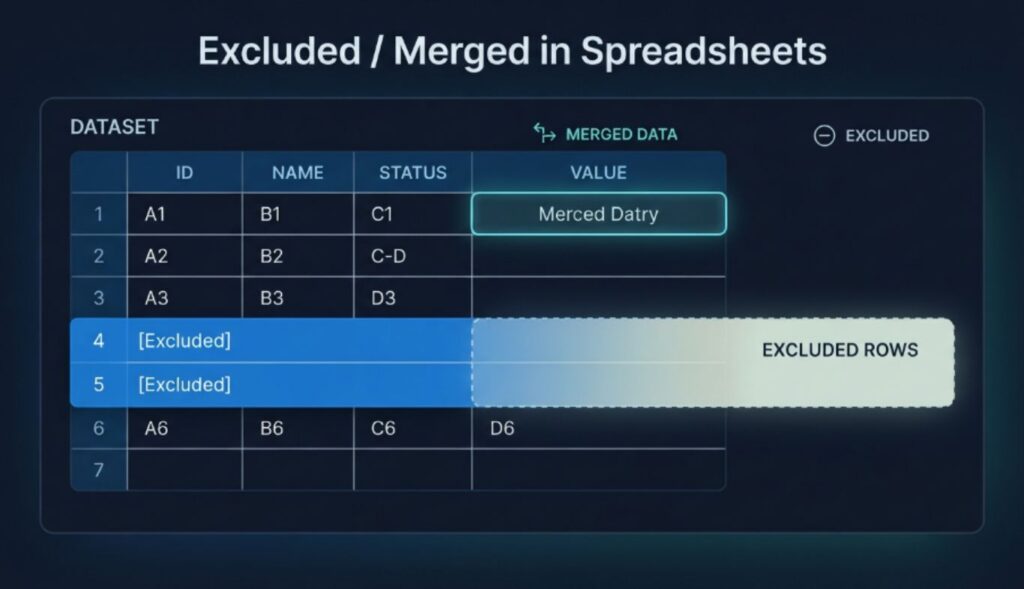
In spreadsheets, the word “merged” can have a very specific meaning. Microsoft Excel allows users to merge cells, meaning multiple cells become one larger cell. Microsoft warns that when multiple cells are merged, content from the other cells can be deleted, so users should make sure important information is preserved before performing the operation.
This is an important distinction. Merging cells is not necessarily the same as merging data. For example, if A1 contains “John” and B1 contains “Smith,” merging the cells isn’t the right method for creating “John Smith.” Instead, Excel provides functions such as CONCAT for combining text values.
Spreadsheet Example
| Goal | Better Approach |
|---|---|
| Create a visual heading across columns | Merge cells |
| Combine first and last names | Use a text-combining formula |
| Remove irrelevant rows | Exclude/filter them |
| Combine duplicate records | Clean and consolidate data |
| Separate combined information | Split text or use formulas |
This distinction can prevent accidental data loss.
Excluded / Merged in Databases
Databases introduce another important use case.
Suppose a business has these records:
| ID | Name | |
|---|---|---|
| 101 | Alex Brown | alex@example.com |
| 245 | Alex Brown | alex@example.com |
If both records represent the same customer, they may be candidates for consolidation.
But before merging them, the organization should check:
- unique identifiers,
- email addresses,
- phone numbers,
- transaction history,
- account status,
- timestamps,
- source systems,
- conflicting information.
A careless merge can cause serious data-quality problems. For example, if two people happen to share the same name, automatically combining their records could incorrectly mix their information. Therefore, database merging should use reliable matching rules rather than names alone.
How to Decide Between Excluded and Merged
A structured decision process makes the choice easier.
Step 1: Identify the Purpose
Ask why the item is being reviewed. Are you cleaning a spreadsheet, auditing a website, preparing a report, or consolidating customer records?
Step 2: Check Relevance
If the item doesn’t belong to the project’s purpose, exclusion may be appropriate.
Step 3: Check for Overlap
If the item is useful but substantially overlaps another item, consider merging.
Step 4: Check Information Quality
Don’t merge inaccurate information simply because it looks similar.
Step 5: Preserve Important Information
Before consolidation, identify anything that could be lost.
Step 6: Document the Decision
Record what happened and why.
Step 7: Review the Final Result
Make sure the remaining item is complete, accurate, and useful.
A simple decision matrix can help:
| Question | Yes | No |
|---|---|---|
| Is the item relevant? | Continue review | Consider exclusion |
| Does it duplicate another item? | Consider merging | Keep separate |
| Does it contain unique information? | Preserve it | Consolidation may be easier |
| Is the information reliable? | Continue | Review or exclude |
| Can the merge be reversed? | Safer | Create a backup first |
Common Mistakes to Avoid
Even simple status systems can cause problems when used carelessly.
1. Excluding Without Documentation
If someone asks six months later why a record disappeared, nobody may know. Better approach: write a short reason.
2. Merging Without a Backup
If important information is lost during consolidation, recovery can be difficult. Better approach: create a backup or preserve the source records.
3. Confusing Similarity With Duplication
Two items can look similar but serve different purposes. Better approach: compare intent, audience, data, and context.
4. Treating All Excluded Items as Deleted
Exclusion may only mean that something isn’t part of the current workflow. Better approach: define exactly what “excluded” means in your system.
5. Merging Spreadsheet Cells Instead of Data
Visual cell merging and data consolidation aren’t the same thing. Better approach: use appropriate formulas or data-cleaning methods when the goal is to combine values. Microsoft provides separate guidance for merging cells and combining text.
6. Ignoring Historical Records
A merged or excluded item may still have historical value. Better approach: preserve audit information where appropriate.
Best Practices for Using Excluded / Merged Labels
A strong workflow should make status labels predictable.
Define Each Status
Create a short internal definition.
For example:
- Excluded: outside the current scope.
- Merged: consolidated into another record.
- Archived: retained but inactive.
- Active: currently maintained.
Record the Destination
When something is merged, document where it went.
For example: Record 245 merged into Record 101. This is much more useful than simply writing “merged.”
Record the Reason
Instead of: Excluded. Use: Excluded because the item falls outside the 2026 product category. Clear explanations save time later.
Review Important Decisions
High-impact exclusions and merges should receive a second review. This is especially important for financial, customer, legal, medical, or operational data.
Real-World Examples
Example 1: Blog Content
A website has two articles covering the same topic.
Decision: Merge. The strongest article becomes the primary resource, while useful information from the second article is incorporated.
Example 2: Irrelevant Spreadsheet Row
A sales report for 2026 contains test transactions.
Decision: Exclude from the final report. The test data isn’t relevant to the business analysis.
Example 3: Duplicate Customer
Two database records have the same verified customer identifier.
Decision: Merge after validation.
Example 4: Unrelated Content
A technology website contains an article unrelated to its editorial scope.
Decision: Exclude or otherwise remove from the relevant content workflow.
Example 5: Spreadsheet Heading
Several cells need to display one heading across columns.
Decision: Merge cells for presentation. This is a formatting decision rather than a data-consolidation decision.
A Simple Excluded / Merged Workflow
You can turn the concept into a repeatable process:
- Collect the items.
- Review each item.
- Identify relevance.
- Compare similar items.
- Verify important information.
- Choose exclude, merge, retain, or archive.
- Back up important information.
- Perform the selected action.
- Document what changed.
- Review the final result.
This workflow is simple enough for a small project but can also become part of a larger data-governance process.
Tools and Documentation That Can Help
The right tool depends on what you’re managing.
For Spreadsheets
Excel provides tools for merging and unmerging cells, finding merged cells, combining text, and splitting text into columns.
For Websites
Content-management systems, analytics platforms, spreadsheets, and SEO auditing tools can help identify overlapping content.
For SEO
Google Search Central provides guidance on canonicalization and duplicate URLs. Google Search Central: Canonicalization Documentation
For Databases
Database-management tools can help identify duplicate records, but automated matching should always be validated before important records are merged.
Quick Reference Table
| Situation | Recommended Action |
|---|---|
| Item is irrelevant | Exclude |
| Two records are confirmed duplicates | Merge |
| Two articles have different search intent | Keep separate |
| Two articles substantially overlap | Consider merging |
| Data is uncertain | Investigate first |
| Spreadsheet cells need one visual heading | Merge cells |
| Text values need combining | Use a data/text function |
| Item may be needed later | Archive rather than automatically exclude |
FAQs
1. What does Excluded / Merged mean?
Excluded / Merged generally describes two possible outcomes for an item. Excluded means it isn’t included in the current scope, while merged means it has been combined with another item.
2. Is excluded the same as deleted?
No. Excluded usually describes a status or decision, while deleted means the item has actually been removed. An excluded item may still exist somewhere else.
3. What does merged mean?
Merged generally means that two or more related items have been consolidated into one. The exact meaning depends on the system being used.
4. Should duplicate content always be merged?
No. Similar content should be reviewed before consolidation. Two pages can appear similar while serving different audiences or search intents.
5. Is merging spreadsheet cells the same as combining data?
No. Merging cells is primarily a layout or formatting action. Combining data means preserving and joining values. Excel provides different methods for these tasks.
6. Can an excluded item be restored?
Often, yes, depending on the system. If exclusion doesn’t delete the original record, it may simply be moved outside the active workflow.
7. Why should merged records be documented?
Documentation provides an audit trail. It helps people understand what happened, where information went, and why the consolidation occurred.
8. What should I do before merging important information?
Review the records, verify that they represent the same entity or purpose, back up important information, identify conflicts, and document the intended result.
9. How does merging relate to SEO?
In SEO, consolidation can be useful when multiple URLs contain duplicate or substantially overlapping content. Google recommends signals such as redirects and canonical annotations to indicate preferred URLs in appropriate situations.
10. What is the safest approach to Excluded / Merged decisions?
Use a documented review process. Determine relevance, identify duplication, preserve valuable information, choose the appropriate action, and verify the final result.
Conclusion
Excluded / Merged may look like a simple pair of status labels, but the distinction between them can have a major impact on how information is organized. Excluded generally means an item isn’t part of the current scope. Merged generally means related information has been consolidated into another item. Neither decision should be made automatically without considering context. For content teams, these concepts can help organize editorial libraries and handle overlapping resources. For SEO professionals, consolidation can help manage similar URLs when there is a genuine reason to establish a preferred version.
For spreadsheet users, understanding the difference between merging cells and combining data can prevent accidental information loss. For database teams, careful validation is essential before duplicate records are consolidated. The best approach is straightforward: review first, preserve important information, choose the right action, and document the decision. When those principles are followed, Excluded / Merged becomes more than a label. It becomes a useful part of a clean, organized, and accountable information-management workflow.